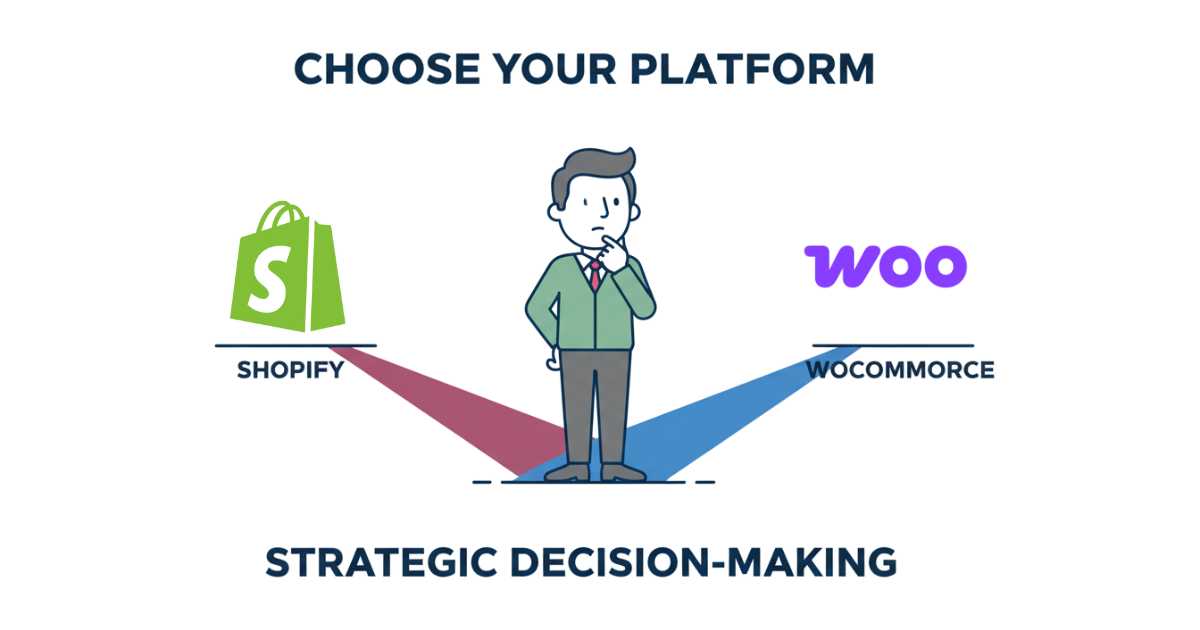
Choosing an ecommerce platform shapes every dimension of your business, from launch speed and operating costs to conversion rates and growth ceiling. The Shopify vs WooCommerce debate remains central for founders and mid-market teams building or migrating stores in 2025, yet the right answer depends entirely on your budget, technical resources, speed-to-market requirements, payment preferences, and long-term scalability plans. Shopify delivers a hosted, all-in-one solution optimized for fast deployment and reliable performance, while WooCommerce offers WordPress-based flexibility with granular control over every layer of your stack. This guide walks through pricing structures, checkout experience, performance metrics, SEO capabilities, extensibility trade-offs, and developer workflows to help you match platform strengths to your specific constraints. By the end, you’ll have a clear, scenario-based recommendation grounded in real cost projections and decision criteria you can score today.
- Quick Verdict: Who Should Choose What
- Pricing & Total Cost of Ownership (2025)
- Payments & Checkout Experience
- Performance & Core Web Vitals
- SEO & Content Management
- Features, Apps & Extensibility
- Customization & Developer Experience
- Security, Compliance & Support
- Migration Considerations
- Decision Matrix (Score Your Needs)
- FAQs
- Key Takeaways
- Conclusion
Quick Verdict: Who Should Choose What
- Solo founder or small team launching a first store: Choose Shopify for speed to market, predictable costs, and built-in checkout optimization without needing technical staff.
- Growing direct-to-consumer brand with 500 to 5,000 monthly orders: Choose Shopify if you value uptime, Shop Pay conversion lift, and seamless app integrations over per-transaction fees.
- Content-heavy site with editorial workflows and extensive blog needs: Choose WooCommerce for WordPress’s superior content management, SEO plugins, and granular publishing controls.
- B2B catalog with custom pricing, complex quoting, or ERP integration: Evaluate both platforms based on existing integrations; WooCommerce offers more customization but Shopify B2B features have matured significantly.
- Budget-sensitive team willing to manage hosting and updates: Choose WooCommerce to avoid platform fees and retain full control over costs as volume scales, accepting higher maintenance responsibility.
Edge cases such as headless architectures, regulated verticals, or international multi-currency needs require deeper analysis covered in the decision matrix below. The quick verdict above applies to typical scenarios where one platform clearly fits the founder’s primary constraint.
Pricing & Total Cost of Ownership (2025)
Platform fees represent only part of total cost. Shopify charges monthly subscriptions starting at Basic and scaling through Advanced tiers, plus transaction fees if you skip Shopify Payments. WooCommerce itself remains free, but you pay for hosting, premium themes, essential plugins, and developer time to configure and maintain the stack. As order volume grows, Shopify’s percentage-based fees climb while WooCommerce hosting costs scale more linearly, though plugin subscriptions and maintenance hours add up.
| Cost Component | Shopify (est.) | WooCommerce (est.) | Notes |
|---|---|---|---|
| Starter (≤100 orders/mo) | $40–80/mo platform + 2.9% + 30¢ per transaction | $25–50/mo hosting + $100–300 theme + $10–50/mo plugins | Shopify faster to launch; WooCommerce requires setup time |
| Growth (101–1,000 orders/mo) | $100–400/mo platform + 2.7–2.9% + 30¢ per transaction | $50–150/mo hosting + $200–800/yr plugins + maintenance | WooCommerce TCO depends on plugin count and dev hours |
| Scale (1,001–10,000 orders/mo) | $400–2,000+/mo platform + 2.4–2.7% + 30¢ per transaction | $150–500/mo hosting + $500–2,000/yr plugins + dev retainer | High-volume WooCommerce needs managed hosting and optimization |
Total cost of ownership shifts as your business scales. Shopify’s predictable monthly pricing simplifies budgeting but transaction fees become significant at volume, especially if you use third-party payment gateways that stack additional processing costs. WooCommerce avoids platform fees entirely, letting you keep more margin per sale, but demands investment in quality hosting, security updates, performance tuning, and plugin management. At lower volumes, Shopify often costs less when you factor in developer time saved. Beyond several thousand monthly orders, WooCommerce can deliver better unit economics if you have technical resources to optimize the stack and negotiate favorable payment processing rates independently.
Payments & Checkout Experience
Checkout polish directly impacts conversion rate, and Shopify holds a clear advantage with Shop Pay’s one-tap experience, optimized mobile flows, and built-in A/B testing infrastructure. Shop Pay remembers customer details across participating stores, reducing friction for repeat buyers and new customers who’ve used Shop Pay elsewhere. Shopify Payments integrates natively with minimal setup, while WooCommerce relies on WooPayments, Stripe, PayPal, and dozens of gateway plugins that vary in quality and maintenance. One-page checkout works out of the box on Shopify; WooCommerce often requires plugins to condense the default multi-step flow.
Both platforms support upsells, discount codes, dynamic pricing, automated tax calculation, fraud screening, and multi-currency, but implementation complexity differs. Shopify bundles most checkout features natively or through well-maintained apps with consistent APIs. WooCommerce checkout customization offers unlimited flexibility through PHP hooks and filters, but each modification increases maintenance burden and potential plugin conflicts. Digital wallets like Apple Pay and Google Pay integrate seamlessly on Shopify, while WooCommerce requires careful gateway selection to ensure wallet support works reliably across devices.
- Shop Pay delivers measurably higher conversion on mobile and repeat purchases through instant autofill and trust signals.
- Native one-page checkout on Shopify reduces abandonment compared to WooCommerce’s default multi-step flow unless customized.
- Dynamic checkout buttons and accelerated payment options appear consistently across Shopify themes without additional configuration.
- WooCommerce gateways vary widely in feature parity, requiring testing to ensure wallets, subscriptions, and tokenization work as expected.
- Shopify’s checkout extensibility API lets Plus merchants customize without breaking updates, while WooCommerce customization relies on template overrides and hooks.
Payment gateway choice affects both fees and backend reconciliation workload. Shopify Payments simplifies reporting by consolidating transactions, payouts, and fees in one dashboard, while WooCommerce with third-party gateways often requires manual reconciliation across payment processor statements and order data. Transaction fees remain competitive on both platforms when using native solutions, but WooCommerce grants more negotiating power with processors as volume scales since you control the gateway relationship directly.
Performance & Core Web Vitals
Shopify’s hosted infrastructure delivers consistent performance with global CDN coverage, automatic image optimization through the platform CDN, and theme review processes that catch egregious performance mistakes. WooCommerce performance varies dramatically based on hosting quality, theme selection, plugin discipline, and optimization effort. A well-tuned WooCommerce store on quality managed hosting can match or exceed Shopify speed, but achieving that requires technical knowledge and ongoing maintenance that Shopify handles automatically.
| Metric | What It Measures | What Good Looks Like | Typical Bottlenecks on Each Platform |
|---|---|---|---|
| LCP | Time until largest visible element renders | Under 2.5 seconds | Shopify: heavy apps, unoptimized theme sections; WooCommerce: slow hosting, large hero images, page builder bloat |
| INP | Responsiveness to user clicks and taps | Under 200 milliseconds | Shopify: excessive app scripts; WooCommerce: heavy plugins, unoptimized JavaScript, WooCommerce core queries |
| CLS | Visual stability as elements load | Under 0.1 | Shopify: missing image dimensions in custom sections; WooCommerce: unsized images, web fonts, dynamic injected content |
Why Performance Matters
Core Web Vitals influence both search rankings and conversion rates directly. Faster Largest Contentful Paint means shoppers see product images and calls-to-action immediately, reducing bounce before engagement begins. Low Interaction to Next Paint ensures add-to-cart buttons and checkout forms respond instantly, eliminating frustration that drives abandonment. Stable layouts prevent accidental clicks and maintain trust. Search engines reward good Core Web Vitals with ranking boosts, particularly on mobile, while paid advertising platforms factor landing page speed into quality scores that affect cost per click. A half-second improvement in load time can lift conversion rate noticeably and lower customer acquisition cost across all channels, making performance optimization one of the highest-ROI activities for any ecommerce store.
SEO & Content Management
WooCommerce runs on WordPress, granting access to decades of content management refinement, robust SEO plugins like Yoast and RankMath, and granular control over URL structures, redirects, and schema markup. Shopify’s SEO capabilities have improved substantially, offering clean URLs, automatic sitemaps, and structured data, but lack the editorial workflow depth WordPress provides. For stores where content marketing, blogging, and organic search drive significant traffic, WooCommerce’s native content tools represent a major advantage.
- Canonical tag control lets you manage duplicate content across product variants, categories, and pagination on both platforms with varying ease.
- 301 redirects handle seamlessly in WordPress through plugins, while Shopify requires manual CSV uploads or apps for bulk redirect management.
- Robots.txt and meta robots directives offer full customization in WooCommerce; Shopify provides controls but limits some advanced configurations.
- XML sitemaps generate automatically on both platforms, though WordPress plugins offer more segmentation and control over priority and frequency settings.
- Faceted navigation and filter parameters require careful handling to avoid duplicate content; WooCommerce plugins provide more options for parameter management.
Editorial workflow and content velocity favor WooCommerce significantly. WordPress’s block editor, revision history, contributor roles, and scheduling features support teams publishing frequent content across blogs, guides, and landing pages. Shopify’s blog functionality works for basic publishing but lacks the collaborative tools, custom post types, and taxonomy flexibility content-heavy businesses expect. Stores that rely on SEO-driven content to build authority and drive organic traffic will find WooCommerce far more productive for managing large content libraries and supporting multiple authors.
Features, Apps & Extensibility
Both platforms offer extensive app and plugin ecosystems covering subscriptions, bundles, point-of-sale, inventory management, shipping automation, and business-to-business features. Shopify’s App Store maintains stricter quality standards and integrates more seamlessly with platform APIs, while WooCommerce’s plugin repository provides broader selection with variable quality and maintenance levels. Native features continue expanding on both sides: Shopify now includes B2B catalogs, customer accounts, and draft orders built-in, while WooCommerce subscriptions and memberships require premium plugins.
Integration patterns differ meaningfully. Shopify apps connect through standardized REST and GraphQL APIs with webhooks for real-time updates, creating predictable integration experiences. WooCommerce relies on WordPress hooks, filters, and REST API extensions that offer unlimited flexibility but require more technical knowledge to implement reliably. Headless and composable commerce pathways exist on both platforms, with Shopify’s Hydrogen framework providing opinionated React patterns while WooCommerce integrates with any frontend through its REST API.
- Does the feature exist as a well-maintained native solution or do multiple apps/plugins compete with unclear differentiation?
- Will the integration require ongoing maintenance as platform APIs evolve and plugins update?
- Does the app or plugin impact page load performance measurably, and can that cost be justified by revenue impact?
- Can the functionality be achieved through platform-native features in a simpler way, avoiding third-party dependencies entirely?
- Does the vendor provide clear documentation, responsive support, and regular updates matching platform release cycles?
Avoiding app and plugin bloat remains critical for both platforms. Every additional extension adds code that loads on your pages, increases maintenance surface area, and creates potential conflicts. Audit your installed apps and plugins quarterly, removing anything unused or redundant. Consolidate overlapping functionality into single solutions where possible. Test performance impact before and after installing new extensions, and uninstall immediately if the speed cost exceeds the business value delivered.
Customization & Developer Experience
Shopify themes use Liquid templating, a straightforward syntax that non-developers can learn quickly for basic customizations. Advanced work requires understanding Shopify’s section and block architecture, but the learning curve remains manageable. Continuous integration and deployment workflows integrate well with version control, and Shopify CLI streamlines local development. Theme updates preserve customizations when you follow best practices, though heavily modified themes increase maintenance complexity.
WooCommerce development happens in PHP within the WordPress ecosystem, offering unlimited customization potential at the cost of higher complexity. Child themes, template overrides, and action/filter hooks let developers modify every aspect of functionality and presentation. Experienced WordPress developers feel immediately productive, while teams new to PHP face steeper onboarding. CI/CD pipelines require more setup compared to Shopify’s hosted environment, and staging workflows depend on hosting provider capabilities.
- Product template customization on Shopify uses sections and metafields with visual editors; WooCommerce relies on PHP templates and custom fields with plugins.
- Checkout extensibility on Shopify Plus uses the extensibility API for safe customizations; WooCommerce checkout modifies through hooks and template overrides with update risks.
- Content blocks and page builders come standard in modern Shopify themes; WooCommerce typically requires Gutenberg mastery or third-party page builders.
- Headless implementations on Shopify use Hydrogen or custom React/Vue frontends with Storefront API; WooCommerce headless pairs with any JavaScript framework via REST API.
- Development velocity favors Shopify for speed to market; WooCommerce offers deeper customization for teams with PHP expertise and specific requirements.
The trade-off between speed to market and long-term flexibility defines your platform choice for technical teams. Shopify gets stores live faster with less code, ideal when validating product-market fit or launching seasonal campaigns quickly. WooCommerce rewards investment in custom development when your business model demands functionality unavailable through standard apps or when integration with legacy systems requires low-level control. Choose based on whether your competitive advantage comes from speed and iteration or from proprietary features competitors cannot easily replicate.
Security, Compliance & Support
Shopify handles PCI compliance, security patches, infrastructure updates, and DDoS protection automatically as part of the hosted service. Merchants remain responsible for access controls, two-factor authentication, and secure app selection, but the platform manages the underlying security infrastructure. Support channels include 24/7 chat and phone for paid plans, extensive documentation, and community forums. Response times vary by plan tier, with Shopify Plus customers receiving priority support and dedicated account management.
WooCommerce security responsibility falls entirely on the merchant and hosting provider. You must apply WordPress and plugin updates promptly, configure server security correctly, implement SSL certificates, maintain backups, and monitor for vulnerabilities. Quality managed WordPress hosting providers handle many security tasks, but vigilance remains essential. Support comes from hosting providers, plugin vendors, and community forums rather than a single platform vendor, requiring more coordination when troubleshooting issues that span multiple components.
- Two-factor authentication should be mandatory for all admin accounts on both platforms to prevent unauthorized access.
- Role-based permissions limit what each team member can view and modify, reducing accidental damage and insider risk.
- Staging environments let you test changes safely before deploying to production; Shopify Plus includes this, WooCommerce requires hosting support.
- Audit logs track who made what changes when, essential for compliance and troubleshooting; available natively on Shopify Plus, requires plugins on WooCommerce.
- Automated backups should run daily with off-site storage, easily restored if data corruption or attacks occur.
Regulated categories such as food, supplements, or medical devices face additional compliance requirements around data handling and privacy. Both platforms support GDPR tooling for customer data requests and consent management. Shopify’s compliance certifications simplify audits for merchants in regulated verticals, while WooCommerce requires you to assemble and document your own compliance stack. Data privacy basics apply equally: collect minimal customer information, store payment data only through PCI-compliant tokenization, encrypt data in transit and at rest, and maintain clear privacy policies that match actual data practices.
Migration Considerations
- Audit your current product catalog, customer database, and order history to understand data volume and custom fields requiring mapping.
- Export all data from your existing platform using native tools or migration plugins, preserving product attributes, customer segments, and historical order details.
- Map your current URL structure to the new platform’s format, documenting every product, category, and content page for redirect planning.
- Set up 301 redirects for all migrated URLs to preserve search rankings and prevent broken links from existing backlinks and bookmarks.
- Import products first, validating that images, descriptions, variants, and inventory levels transfer correctly before moving customer data.
- Migrate customer accounts carefully, noting that payment tokens cannot transfer between platforms for security reasons and customers must re-enter cards.
- Import historical orders for reference and customer service, even though they won’t affect new platform analytics and reporting.
- Configure your new theme and essential apps or plugins, testing checkout flows thoroughly on staging before switching DNS.
- Run a full rehearsal launch on a temporary domain, completing test orders to verify payments, taxes, shipping calculations, and email notifications work correctly.
- Update DNS to point your domain to the new platform, monitoring closely for the first 24 hours to catch any issues immediately.
- Verify all redirects work by testing old URLs from search results and common entry points, fixing any broken links discovered.
- Monitor site speed, Core Web Vitals, and conversion rates daily for the first two weeks post-migration to identify performance regressions quickly.
Measuring before and after metrics proves migration success and identifies areas needing optimization. Capture baseline Core Web Vitals scores, conversion rate by traffic source, average order value, and cart abandonment rate for at least two weeks before migrating. Compare the same metrics during the first month on the new platform, accounting for seasonal variations and traffic mix changes. Expect temporary conversion rate dips during the adjustment period as customers adapt to new layouts and flows, but performance should stabilize within two to four weeks if the migration executed cleanly.
Decision Matrix (Score Your Needs)
| Criteria | Weight (1–5) | Shopify Score (1–5) | WooCommerce Score (1–5) | Notes |
|---|---|---|---|---|
| Budget / TCO | 3 | 4 | WooCommerce cheaper at scale if you have dev resources | |
| Speed to Market | 5 | 3 | Shopify launches faster with less setup | |
| Checkout Conversion | 5 | 3 | Shop Pay and native optimization favor Shopify | |
| SEO Control | 3 | 5 | WordPress SEO plugins and flexibility win decisively | |
| Content Workflows | 2 | 5 | WordPress built for content, Shopify blog basic | |
| Extensibility | 4 | 5 | Both strong; WooCommerce edges out on deep customization | |
| Dev Resources | 5 | 2 | Shopify requires minimal dev; WooCommerce needs PHP skills | |
| Internationalization | 4 | 4 | Both handle multi-currency and markets; implementation differs | |
| POS / Offline | 5 | 3 | Shopify POS integrated; WooCommerce POS plugins vary | |
| B2B Features | 4 | 4 | Both improving; evaluate specific needs against apps |
To calculate your recommendation, first assign a weight from one to five for each criterion based on how critical it is to your business success. A weight of five means the criterion is essential and will make or break your platform choice; a weight of one means it matters little. Next, multiply each platform’s score by your assigned weight for that row. Sum the weighted scores for Shopify and WooCommerce separately. The platform with the higher total weighted score represents the better fit for your specific needs and constraints. If scores land within ten percent of each other, consider edge cases in your implementation plan and consult with your development team or agency on which platform aligns better with available skills and existing integrations.
FAQs
Which platform is cheaper at low volume versus scale? Shopify typically costs less for new stores under 500 monthly orders when you factor in the time saved on setup and maintenance. At higher volumes beyond several thousand orders per month, WooCommerce can deliver better unit economics by eliminating platform fees, provided you invest in quality hosting and have technical resources to manage the stack efficiently.
Can I switch platforms later without losing SEO? Yes, with careful redirect planning and URL mapping. Implement comprehensive 301 redirects for every migrated page, maintain the same content quality and structure, and monitor search rankings closely for six months post-migration. Expect minor temporary ranking fluctuations but permanent SEO damage is avoidable with proper execution.
Do I need developers to run either platform? Shopify requires minimal ongoing development for standard stores using themes and apps, making it accessible to non-technical founders. WooCommerce demands at least basic PHP knowledge for troubleshooting and customization, with most stores benefiting from part-time or contract developer support for updates and optimization work.
How does checkout performance differ between platforms? Shopify’s optimized checkout and Shop Pay deliver measurably faster load times and higher mobile conversion rates out of the box. WooCommerce checkout performance varies widely based on theme quality, hosting speed, and plugin overhead, requiring active optimization to match Shopify’s baseline experience.
What about subscriptions and B2B features? Shopify includes native subscription infrastructure and B2B catalogs, with robust apps filling any gaps. WooCommerce subscriptions require premium plugins with variable quality, though flexibility for complex billing models may be superior. Evaluate your specific requirements against available solutions on each platform before deciding.
Is headless architecture overkill for most stores? Yes, traditional hosted storefronts serve the vast majority of businesses perfectly well. Consider headless only if you need extreme customization, want to unify commerce across multiple touchpoints like mobile apps and IoT devices, or face performance bottlenecks unsolvable through standard optimization. Headless adds significant development complexity and cost that few stores justify with incremental revenue.
How often should I review my installed apps and plugins? Quarterly audits keep bloat in check. Remove any app or plugin you haven’t actively used in three months, consolidate overlapping functionality, and test performance impact when adding new extensions. Every additional piece of code increases maintenance burden and potential security surface, so maintain ruthless discipline about what stays installed.
Does platform choice affect paid advertising performance? Yes, indirectly through landing page speed and checkout conversion. Faster pages improve quality scores on search and social ad platforms, lowering cost per click. Higher conversion rates at checkout mean more revenue per ad dollar spent. Both platforms can perform well for paid traffic when optimized properly, but Shopify’s out-of-the-box speed advantage benefits ad campaigns immediately.
Key Takeaways
- Choose Shopify when speed to market, predictable costs, and minimal technical maintenance outweigh the need for deep customization and content management flexibility.
- Choose WooCommerce when granular SEO control, editorial workflows, unlimited customization, and cost efficiency at scale justify the investment in hosting, development, and ongoing maintenance.
- Total cost of ownership shifts dramatically as order volume grows; model your specific scenario across starter, growth, and scale phases before committing.
- Checkout experience and Shop Pay conversion advantages favor Shopify for direct-to-consumer brands optimizing mobile revenue, while WooCommerce offers complete flexibility for custom flows.
- Performance and Core Web Vitals require active management on WooCommerce through hosting selection and optimization discipline, whereas Shopify delivers consistent baseline speed with less effort.
- Migration between platforms remains feasible with proper planning and redirect discipline, so an initial platform choice need not lock you in permanently if business needs evolve.
- Use the decision matrix to weight criteria specific to your business, generating a quantitative recommendation rather than relying on generic advice that may not match your priorities.
Conclusion
The Shopify vs WooCommerce decision ultimately hinges on whether your competitive advantage comes from speed and operational simplicity or from proprietary features and content-driven organic growth. Shopify empowers lean teams to launch quickly, scale reliably, and focus energy on marketing and product rather than platform maintenance, accepting higher per-transaction costs in exchange for predictable performance and managed infrastructure. WooCommerce rewards teams with PHP expertise and patience to optimize hosting, plugins, and performance, delivering superior content management, SEO control, and long-term cost efficiency for stores that can invest technical resources wisely. Neither platform inherently wins across all scenarios; the right choice depends entirely on your budget constraints, in-house capabilities, growth trajectory, and where you choose to compete. Use the decision matrix above to score your weighted priorities, consult your development team on realistic maintenance costs, and choose the platform that aligns with your strengths rather than chasing feature parity you may never need. Results vary by theme selection, app and plugin discipline, hosting quality, traffic patterns, and implementation rigor, so commit to continuous optimization regardless of which platform you select.